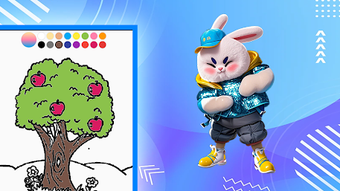

Download Paint Nature – nature art, painting app, creative relaxation, digital painting, scenic backgrounds, mindfulness art, free art tool
Overview
Paint Nature is a lifestyle-focused digital painting application designed for users seeking a calming and creative outlet through nature-inspired art. The app enables individuals to explore artistic expression by selecting from a curated collection of scenic backgrounds, ranging from forests and mountains to beaches and meadows. These visually rich environments serve as canvases for users to paint freely, allowing them to blend imagination with the serenity of natural landscapes.
The primary purpose of the software is to support mindfulness and stress relief by encouraging users to focus on the process of creation rather than the final result. It is particularly suited for casual users, hobbyists, and those interested in digital art as a form of relaxation. The app’s design emphasizes accessibility, making it suitable for both beginners with no prior artistic experience and more experienced users looking for a low-pressure creative space.
Real-world usage scenarios include using the app during breaks, before bedtime for relaxation, or as part of a daily mindfulness routine. While the developer did not provide additional background information, the app’s functionality suggests a focus on simplicity, emotional well-being, and artistic engagement.
Key Features & Capabilities
- Nature-Themed Backgrounds: Users can choose from a variety of high-quality scenic images, each designed to evoke the tranquility of the natural world. These backgrounds serve as the foundation for painting and are intended to inspire creativity.
- Intuitive Painting Tools: The app provides touch-friendly brushes and color palettes with responsive controls, allowing smooth and natural brush strokes across the screen.
- Relaxation-Focused Design: The interface is minimal and distraction-free, promoting a meditative state by minimizing clutter and emphasizing the act of painting.
- Artistic Freedom: There are no strict rules or templates, enabling users to paint freely and express their individual vision without constraints.
- Offline Accessibility: The app functions without requiring an internet connection, making it ideal for use in quiet moments or on-the-go creative sessions.
These features support real-world applications such as using the app as a daily creative habit, reducing anxiety through focused artistic activity, or sharing painted scenes with friends and family. The absence of performance restrictions or complex workflows ensures that users can begin creating immediately, with minimal setup. The app’s emphasis on emotional well-being over technical precision makes it a unique tool in the digital art space.
User Interface, Workflow & Performance
The user interface of Paint Nature is designed with simplicity and clarity in mind. Navigation is straightforward, with essential tools accessible through a clean, minimal toolbar. The layout prioritizes the canvas, ensuring that the user’s focus remains on the painting process.
The workflow begins with selecting a background, followed by choosing a brush and color, and then painting directly on the screen. This linear progression supports a seamless creative experience, especially for users who value intuitive design. The app’s responsiveness is consistent with typical Android painting applications, though exact performance details were not specified.
The developer did not provide information on CPU or RAM usage, so general assumptions about resource efficiency cannot be made. However, the app’s size of 25.7 MB suggests a lightweight footprint, which may contribute to efficient operation on a variety of devices. Stability is expected to be adequate for casual use, but specific crash reports or long-term usage behavior were not documented.
Overall, the workflow supports a relaxed, uninterrupted painting session, aligning with the app’s intended purpose of creative relaxation.
Compatibility & System Requirements
Paint Nature is designed for the Android operating system, with version 1.0.1 currently available. The application has a file size of 25.7 MB, indicating a compact installation that should not place significant strain on device storage. The developer did not specify exact system requirements, including minimum Android version, RAM, or processor specifications.
As such, compatibility information is limited to the OS platform. Users should ensure their device runs a supported version of Android, though the exact version range is not provided. The app is intended for touchscreen devices, making it suitable for smartphones and tablets.
Installation is expected to be straightforward through the official Android app store. The developer did not mention whether the app supports multiple screen sizes or adaptive layouts, so users should verify functionality on their specific device. Performance and stability may vary depending on hardware, but the lightweight nature of the app suggests broad compatibility across mid-range and high-end Android devices.
Pros and Cons
Pros
- Free to download and use with no in-app purchases or ads mentioned
- Intuitive interface suitable for users of all skill levels
- Offers a calming, mindfulness-oriented experience through creative expression
- Scenic backgrounds enhance the emotional and aesthetic appeal of the app
- Functions entirely offline, ensuring privacy and uninterrupted use
Cons
- No information provided on system requirements or supported Android versions
- Limited customization options for brushes or canvas size
- Exact performance metrics, such as battery or memory usage, were not disclosed
- App lacks sharing or export functionality details
- No mention of cloud backup or data sync across devices
FAQ Section
Is Paint Nature available for iOS devices?
Currently, the app is only available for Android. No information about iOS compatibility was provided by the developer.
Does Paint Nature require an internet connection?
No, the app functions entirely offline. Users can access backgrounds and painting tools without needing an internet connection.
Is Paint Nature safe to download and use?
As a free app available through official Android channels, Paint Nature is considered secure. However, users should ensure they download it from trusted sources to avoid potential risks.
How often are updates released for Paint Nature?
The latest version is 1.0.1, released on May 10, 2024. No information about future update frequency was provided.
Can I save or share my painted artwork?
While the app’s functionality includes painting, details about saving, exporting, or sharing completed works were not specified.
Final Thoughts + CTA
Paint Nature stands out as a thoughtful digital tool that blends artistic creativity with the restorative power of nature. Its minimalist design, nature-inspired backgrounds, and focus on mindfulness make it an ideal choice for users seeking a peaceful and engaging hobby. While the app lacks detailed technical specifications and some advanced features, its simplicity and accessibility are strengths in the lifestyle and creative space.
It is particularly beneficial for individuals looking to reduce stress, explore their artistic side, or simply enjoy a moment of calm. The free pricing model enhances its appeal, offering a valuable experience without financial commitment. For anyone interested in digital painting as a form of relaxation, Paint Nature delivers a serene and intuitive platform.
Download Paint Nature now to begin your journey of creative expression and natural inspiration.





.png)

